So much to my delight when I logged onto my facebook page this morning I saw I had been given the new release which was announced on 10th March this year and is being rolled out across all business/brand pages since then. You may have already have been upgraded or you may still be waiting but basically the new layout mirrors a personal profile with insights easier to access and promotions easier to run.
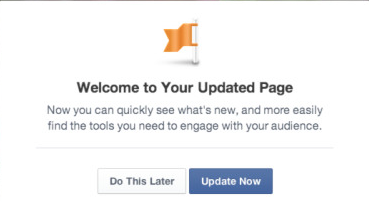
1. When you log on you will see the new layout with an option to Update Page or do it later. My advice is to hang back until you have edited everything to make sure the look and feel is right with the new layout.
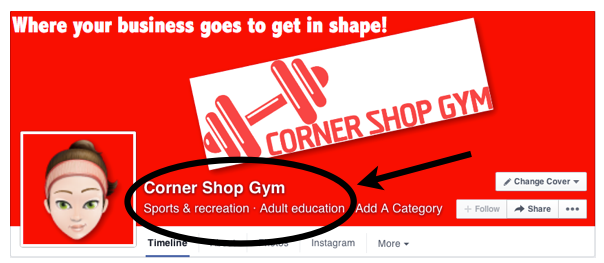
One thing I noticed quickly was that my page name & categories now appear in white text over the cover photo to the right of the profile picture so I had to redesign my cover photo to make sure this was clearly legible.
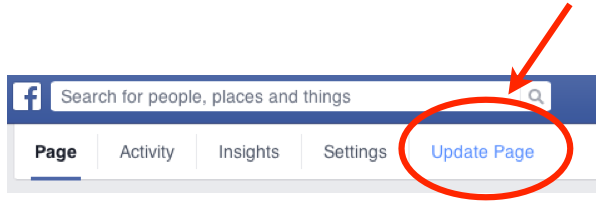
Like I mentioned above hang back on upgrading until you have these few bits sorted. Once you are good to you you can switch to the new release by upgrading via the page management tab which now sits to the left just over your cover photo.
2. Posts/Status Updates now appear in one column only on the right had side of the page with other info appearing in the narrower left hand column such as your Likes, Reviews,Location Map, Apps and Photos.
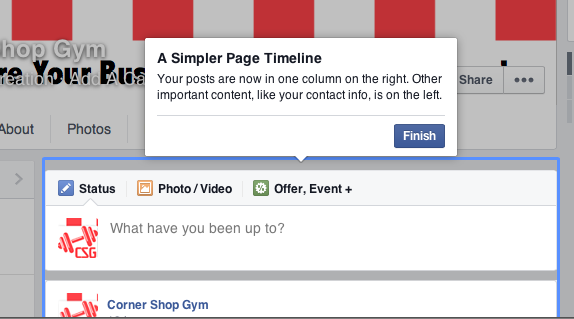
3. I like the new little widget to the left side of the page which shows your page likes, post reach, messages and new notification updates – your important info at a quick glance.
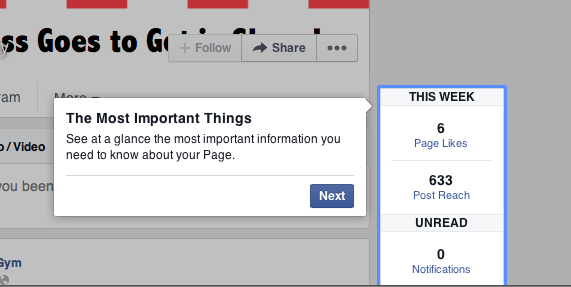
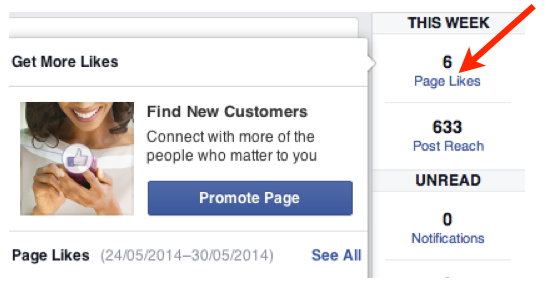
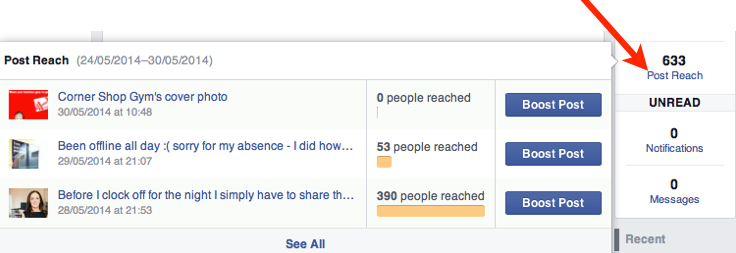
However, there is good reason behind making this so accessible as by hovering over the blue text for likes and post reach it’s even easier to boost posts or promote your page via paid advertising
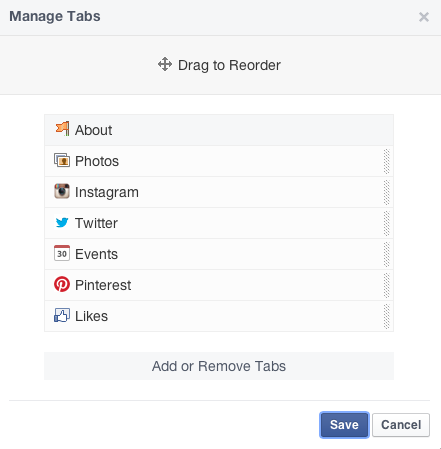
4. I think the Tab Management is much better in this version. Previously these tabs appeared as 4 boxes just under your cover photo and the management was limited – you could only reorder some but not all. Photos, for example, was a fixed tab. Now you can manage these with much greater ease by selecting “More” and then “Manage Tabs”. I also noticed that they automatically gave my Instagram tab priority when choosing my new tab order for me!
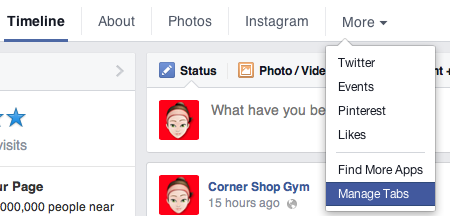
When you select this a window opens where you can easily drag and drop to re-order your tabs to your liking
So that is my initial thoughts after playing about with it briefly. Facebook does walk you through a lot of these steps as part of the upgrade so it’s nothing too challenging. Personally I quite like the new design – I can see how it has been optimised to further encourage paid advertising and to promote their own products/apps first but since floating on the stock exchange these kind of changes were inevitable. I do think as it’s more similar to a personal profile it may be easier for non facebook savvy businesses to set up and manage so all in all I’m happy enough with this.
Have you been upgraded yet? If so let me know your thoughts below…